Template: layout and print
How the log is laid out, on screen and in the PDF. Save it as a file to use again or share.
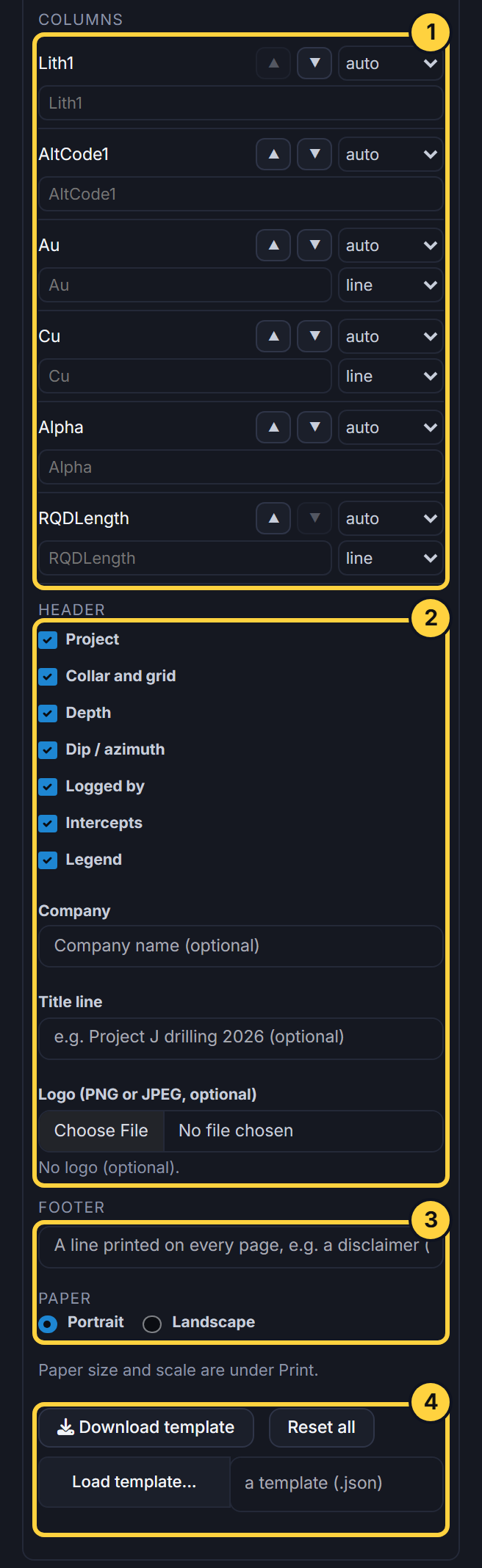
- Columns: Move a column up or down, set its width (auto, narrow, normal or wide), give it your own heading, and draw a value column as a line, a line with fill, or filled bars.
- Header: Tick what the PDF’s header shows: project, collar and grid, depth, dip and azimuth, logged by, intercepts and the legend. Add your company, a title line and a logo (optional).
- Footer and paper: A line printed on every page, such as a disclaimer, and portrait or landscape. Paper size and scale are under Print.
- Save and share: Download the template as a file and load it back, here or on another computer. This browser also remembers it; Reset all puts the default back.