Getting your data in
Cloud QC opens on the demo data. Switch to Upload to look at your own results.
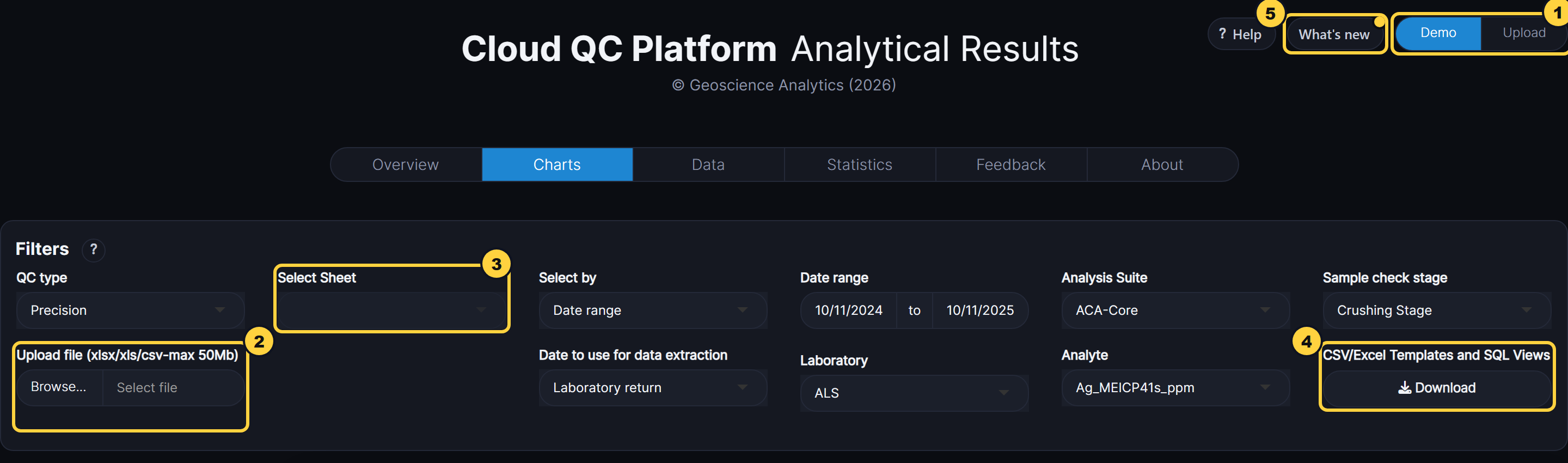
- Demo / Upload: Demo shows the bundled example data; Upload lets you choose your own file.
- Upload file: An Excel workbook (xlsx, xls) or a CSV file of up to 50 MB, laid out as the templates. The Data tab then shows an import report of anything it found to check.
- Select Sheet: For a workbook with several sheets (duplicates, CRMs, blanks), the sheet the Charts, Data and Statistics tabs use.
- CSV/Excel Templates and SQL Views: Download the blank templates, with the columns Cloud QC expects, and SQL views for extracting your data in that layout.
- What’s new: What has changed in each release. A dot shows until you’ve looked at the latest.