3D drillhole traces
3D drillhole traces in Structural Analysis draw each hole from its collar along its survey, with the structures where the hole cut them.
The 3D drillhole traces, in the Drillholes view, draw each hole in grey from its collar along its survey, by minimum curvature, with its name at the collar. The structures ticked in the Data panel sit where the hole cut them. It needs a collar with x, y and z, added under Drillhole files, or x, y and z for each structure in the file. When no hole can be drawn from the collar, a note under the view says why, such as no depth in the collar, and each hole is drawn dashed through its own readings.
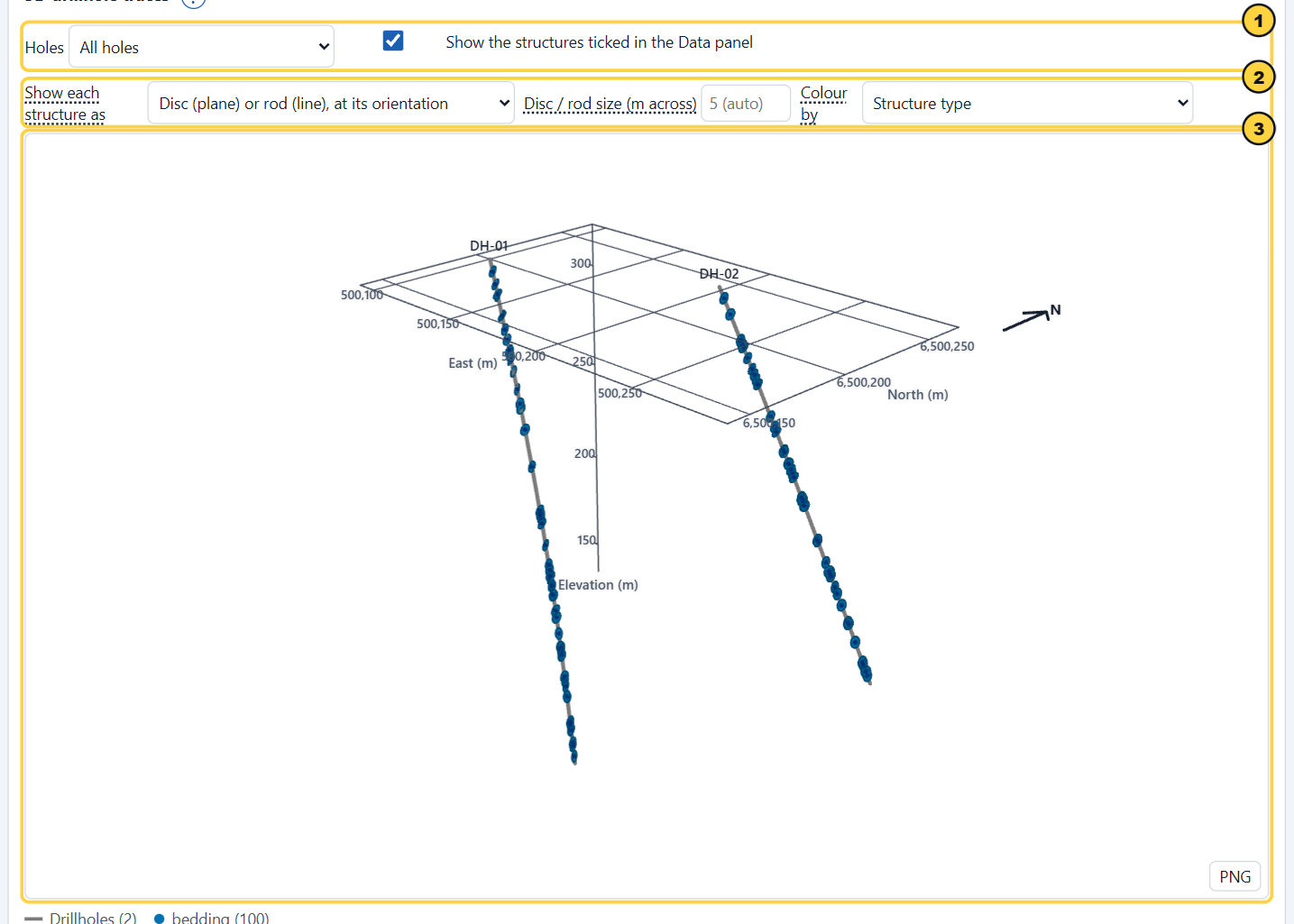
- Holes: Draws every hole, or only the holes picked for the strip log above.
- Show each structure as: A disc shows each plane as it lies, tilted to its dip and dip direction. A rod does the same for each line. A dot shows only where the hole cut the structure. The size is the disc’s diameter or the rod’s length, in metres.
- The view: East, north and elevation are to one scale. Drag to turn the view, right-drag to move it and scroll to zoom. Point at a structure to see its hole, depth, type and orientation. PNG saves the view as you see it.