Load the example certificates and read the report
How do I see what the Lab files tab does? Load the two made-up certificates, answer what the lab’s codes mean, and read a failing report.
In ten minutes you will have checked two certificates and read why one of them fails.
The examples are made up. One certificate fails on a blank and a standard. The other raises queries. They come with their own CRM values and QC sheet, so everything on the tab is exercised without any real data.
Before you begin
- On the live site, sign in. The tab reads nothing for a visitor.
Steps
- Select the Lab files tab.
- Under Certificates, select Or try the example certificates, which are made up. The app reads the two certificates. Batch checks lists EXAMPLE00000001 as a Fail and EXAMPLE00000002 as a Query.
- Above the list, the card Before these can be accepted asks what the result code X means and what the row prefixes Blank, Ch, Dup and St are. The app does not guess, because X means below detection at one site and not assayed at another.
- Set X to below. Leave Ch as a lab duplicate at the Pulverising Stage, and set Dup’s stage to Crushing Stage. Select Use these. The card closes and both certificates are checked again.
- In Batch checks, EXAMPLE00000001 is already picked. Its report is under the list, headed Report: and the certificate number.
- Read the report. The verdict is Fail, with one line on what to do. The Findings table gives each finding’s level, what is odd, why it matters and what to check. What was checked at the foot says what the app looked at.
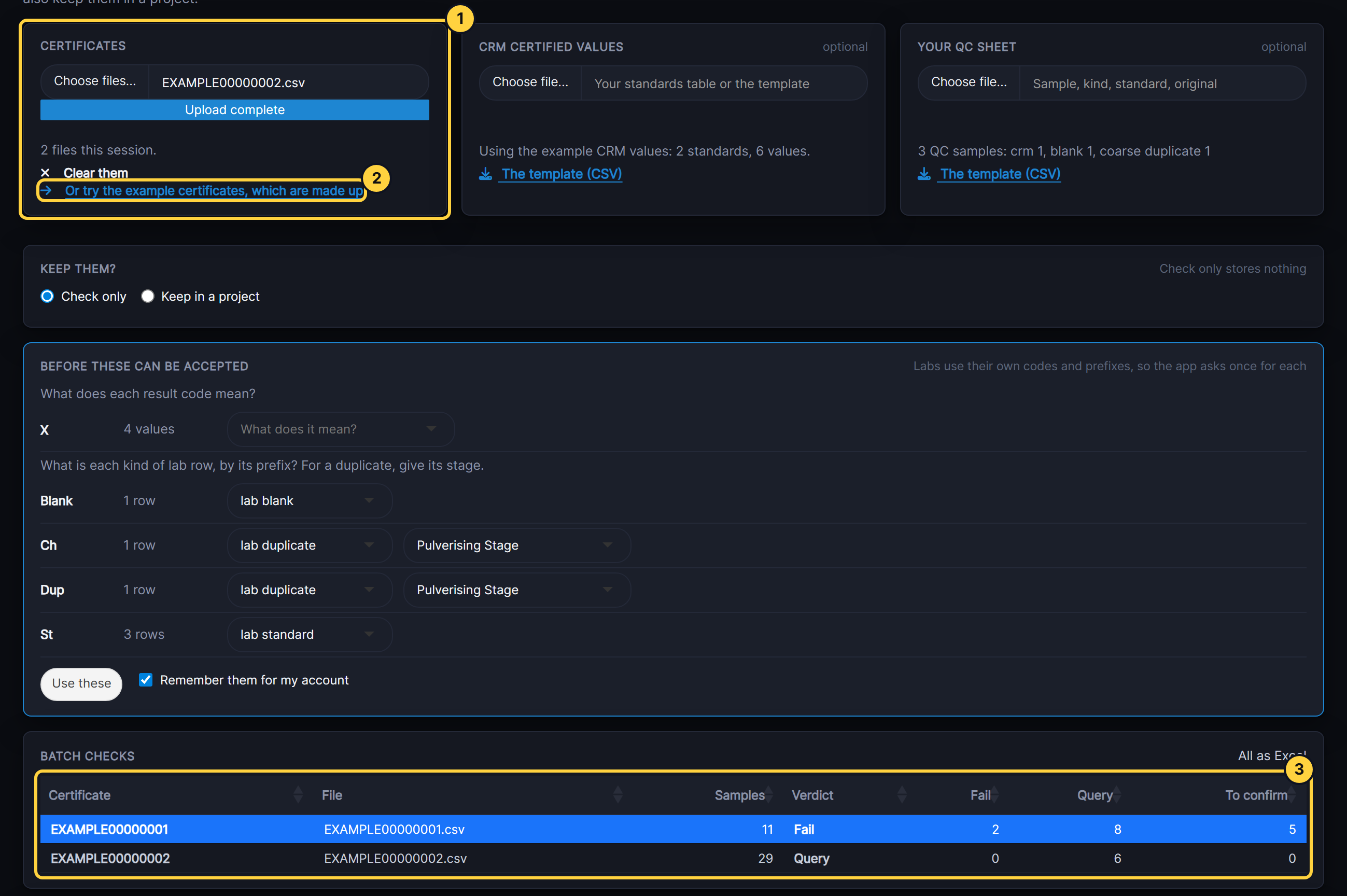
- Certificates: your own certificate files go here.
- Or try the example certificates: loads the two examples with their CRM values and QC sheet.
- Batch checks: one row per certificate, with its verdict and counts. Select a row to read its report.
Result
Batch checks shows both certificates with a verdict and no items left to confirm. EXAMPLE00000001’s report lists a lab blank at 15 times its detection limit and a lab standard 3.9 SD from its certified value, both as Fail.
If something goes wrong
- Use these says a code still needs a meaning. One row of the card is still on What does it mean?. Choose a meaning for it.
- Use these says two prefixes cannot both be duplicates at the same stage. Ch and Dup were both left at the Pulverising Stage. Give one of them another stage.
Next steps
- Read the certificate report goes through each part of the report.
- Upload a laboratory certificate with your own file.